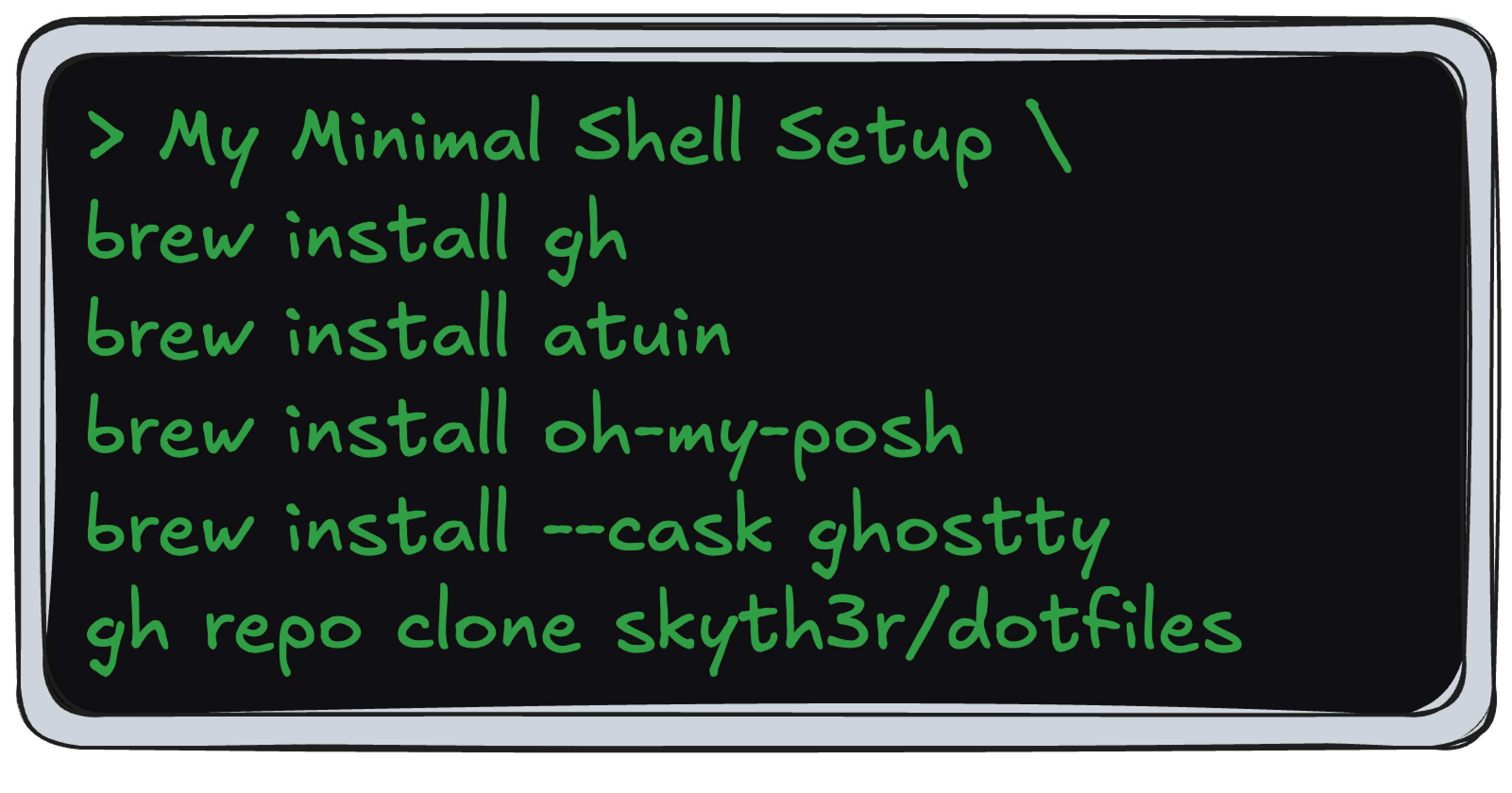
I spend a lot of time using the terminal and, like a lot of other developers, I’ve toyed with new tools and apps to try and improve the experience.
Originally, when I started programming, I just looked up the most popular tools to use, which at the time where iTerm 2, Oh My Zsh, and Powerlevel10k. For a number of years, this became a core part of my terminal setup, however I ended up slowly accumulating a number of plugins, aliases, themes, and configuration I barely used.
This became more apparent while setting up an older M1 MacBook Air I had for some light development work. I realised that my terminal setup just felt overly complicated without providing any additional benefits.
So I decided to strip it back.
Over the last few months, I’ve settled on a minimal but functional shell setup. It’s not minimal in the purist sense, but it is minimal enough that I can understand it, reproduce it, and extend it, making it a great foundation to use across all my machines going forward.
Here’s a dive into how I got where I am now 👇🏽
🧰 Current setup
- Terminal: Ghostty
- Package manager: Homebrew
- Prompt: Oh My Posh
- Shell history: Atuin
- Config: dotfiles + Brewfile
👻 iTerm2 -> Ghostty
The first thing I swapped out was my terminal emulator. I have been using iTerm2 for almost a decade now and decided it was time to try something new.
Ghostty has been recommended a number of times to me because it is fast, has low input latency, and needs little configuration. Overall, my initial impression is that it seems like a solid replacement for iTerm2. I also ended up configuring a few things for Ghostty, which was quite simple to do with a small config file 👇🏽
theme = Dracula
font-family = JetBrainsMono Nerd Font
font-size = 16
font-thicken = true
background-opacity = 0.96
background-blur = 10
macos-titlebar-style = tabs
macos-option-as-alt = left
What I like most is that the configuration is easy to carry around. I can understand the whole thing at a glance, drop it into my dotfiles, and get the same terminal experience on a new machine instantly.
🍺 Homebrew
This isn’t so much of a change but just something I wanted to highlight. Homebrew has been vital to any macOS machine I’ve used. It was the first package manager I installed on my first MacBook a decade ago, and it’s been a core part of my setup ever since.
I install most of my CLI tools and apps via Homebrew and keep them in a Brewfile. That gives me a simple baseline for new machines: install Homebrew, run the setup script, and get the same core tools back without manually installing individual apps.
There are several other options available, such as MacPorts, Devbox and Nix, but Homebrew still gives me everything I need from a global package manager. It is boring, reliable, and already fits neatly into my setup script, so I have no strong reason to replace it.
⚡ Powerlevel10k -> Oh My Posh
I think I’ve used the Powerlevel10k zsh theme for as long as I’ve used iTerm2. My main reason for switching here is that Powerlevel10k is no longer updated and has been in a maintenance limbo state for a while now.
Looking for a viable replacement led me to Oh My Posh. Once I had it up and running with my Ghostty terminal and discovered that it had a number of themes to pick from, I fell in love with it straight away.
Setting it up was quite simple, and right now I’m making use of the starship theme, but I’ll likely try to make my own custom theme that takes elements from various themes, or I’ll fail spectacularly and will just fall back to the starship theme.
Oh My Posh is a solid replacement that is also written in Go (my favourite programming language) and, similar to Ghostty, didn’t require too much configuration at the start (the default theme is also pretty good!).
🐢 Atuin
This has been one of my favourite new additions. Instead of having a text-based terminal history file, Atuin replaces it with a SQLite database that stores additional context for commands, offers a better search for past commands and also offers a cloud sync feature that allows you to sync your shell history across several machines.
This sync feature is a great, unique addition compared to other similar tools (McFly and Suvadu). Cloud syncing is optional, but if you do use it, everything is end-to-end encrypted before it leaves your machine. In addition to this, you can also self-host your own server if you prefer that.
Now that I’ve found myself with a multi-machine setup for development, I’m trying to ensure I have the same development setup across multiple machines, so Atuin’s synced shell history is a feature that I find really beneficial. I also found out that Atuin is an open-source project created by someone I went to uni with (Hi Ellie 👋🏽), so that’s been a nice surprise.
Before I started using Atuin, I was using the default history command coupled with the fish shell inspired zsh-autosuggestions and zsh-history-substring-search, and in comparison, Atuin provides a much better experience that I’ve really been enjoying. I’ll likely still use zsh-autosuggestions, but I’ll be dropping zsh-history-substring-search in favour of Atuin.
🦘 Skipping Oh My Zsh
This choice might be surprising, given how popular Oh My Zsh is. I had it installed for years, but I eventually realised I was barely using the plugins I had enabled.
Most of the time, the only reminder that Oh My Zsh was installed was the occasional update prompt when I opened a new terminal session.
To test if I actually made use of any of the plugins from Oh My Zsh, when setting up my second machine for development, I purposely omitted Oh My Zsh from my setup. After using this new machine for just over 2 months now, I found that I didn’t feel like I was missing anything from Oh My Zsh, so I ended up removing it from my main machine as well.
Maybe I’ll find a use for it one day, but for now, I’ve decided that I don’t actually need Oh My Zsh for software development at the moment.
⚙️ Using Dotfiles
Dotfiles are something that most developers will recognise and likely be using. If you’re not familiar with dotfiles, here’s a quick 101…
Dotfiles are hidden configuration files (prefixed with a dot) that store settings for tools such as zsh, git or vim. They are used by developers to replicate their dev environment across machines with minimal manual setup.
Like most developers, I also make use of dotfiles and have added mine to a code repository on GitHub for easy access. I’ve been making some improvements to these dotfiles over the last few months, and I’ve also been working on refactoring a setup script I use for setting up new machines.
Right now, my code repository just contains my essential configuration for zshrc and two Brewfiles that I want to keep synced across machines, but I’ll likely expand this to include other dotfiles and configuration settings soon.
I’ve spent a great deal of time refining my .zshrc file and have drawn inspiration from other dotfiles I’ve seen shared online. It’s now organised in a sensible way (previously, I just appended a lot of things to the bottom of the file) and includes a reasonable list of aliases I use in my everyday workflows.
🔮 What’s next
With everything above set up, my shell setup feels both minimal and functional. This has been my current setup on my second development machine for the last few months, and I can already tell that cutting back on customisations has made me more productive and made it easier for me to remain focused on the task at hand. My plan is to avoid adding too many other customisations at the moment, but I did have three in mind that I’m looking to explore and add to this setup soon.
Right now, I’ve been trying out cmux in addition to using Ghostty. It’s a native macOS app built on Ghostty’s libghostty, that offers vertical tabs (similar to the Arc browser), notification rings and is aimed at improving development workflow when working with coding AI agents. It feels very similar to Ghostty but also offers the ability to allow coding agents to control and resize windows, panels and tabs via the cmux CLI, which can be handy if you’re working with multiple agents and subagents as part of your workflow.
This setup is not finished, but it already feels better than what I had before. It is easier to reproduce, easier to understand, and has fewer moving parts.
Next, I’ll probably experiment with zoxide, fzf, and work on improving my bootstrap script for new machines. For now, this feels like a solid baseline.